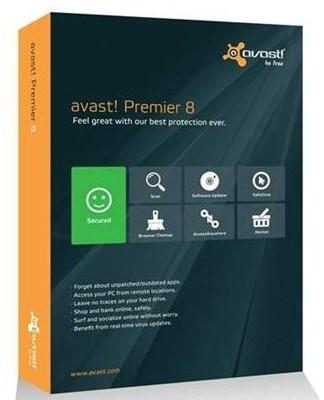
credit for insecpro.com
Avast Premier 2013 Review
On review we have Avast Premier, the top dog in the Avast line up of internet and mobile security. From setup you have two options, Express Install and Custom Install. We were a bit disappointed from the start that with both install options you come to a screen that has Google Chrome and Google Toolbar as install options, and they are ticked to install, we feel that as default they should be unticked so that no one installs these items by mistake, and it is then the user’s choice. Express install is fairly straightforward, and this is the option most users will take, if you are comfortable with custom setup you can change things like destination folder etc.
Once setup has finished and you open Avast you come to Avast's new user interface which is designed with touchscreens in mind, and it has the same Windows 8-inspired touch-friendly buttons, and the same big panel that reflects overall security status as that of Avast’s Internet Security 8 package. Instead of seeing the mundane status page when opening the program, this new version greets you with a home screen with buttons to common tasks and components in addition to a button showing the overall status.
The Antivirus protection in Avast Premier is exactly the same as in the basic Avast suite and Avast’s free antivirus package. Virus definition updates are done through cloud technology streaming your virus database updates to your PC in real-time, meaning that Avast Premier is up to date at all times.
Avast's Browser Cleanup tool will check Internet Explorer, Firefox and Chrome for any browser toolbars, plus any browser add-ons and show you a reputation rating for each. Especially useful for those that use aggressive tactics to change your browser settings, or when children download games and software and install toolbars without even realising.
The Avast Premier Firewall stealth’s your computer ports against hacking attacks and controls which programs are allowed to access the Internet and your network. The Avast Premier firewall also makes all program control decisions without relying on the user. In general the firewall does a very thorough job at detecting, blocking and reporting attacks on the system.
Avast Premier also comes with sandbox, this is basically a place where you can run a program that you may feel unsure about and if there are any problems with the software program it can’t make permanent changes to the system, and it never has access to certain sensitive areas either.
For even more protection, especially when you are performing online transactions like banking, shopping, booking tickets or using auction sites you can move into the SafeZone. Avast’s SafeZone is a separate virtual window where you can carry out online financial transactions privately and isolated from everything else.
A new feature on Avast Premier is Software Updater. This feature lets you know if there are any new updates available for things like Adobe Reader, Adobe Flash and Java. All Avast products have this new feature but with Avast Free Antivirus it simply notifies you and you update the software yourself, with but in the Avast Pro and Avast Internet Security Editions, you can click a “Fix Now” button that updates them for you. In the Premier edition, you don’t even have to bother; you can set it to automatically update these apps and add-ons.
Another new feature is the Data Shredder, available only in Avast Premier Edition it lets you securely and permanently destroys files, erasing them permanently, so that they cannot be restored via hardware or software methods. Includes three methods for doing this: random overwrite, DoD, and Gutmann method. That way, if your computer or hard drive is stolen or if you resell/donate it, your files won’t be recoverable like they could be when you delete the normal way using the Recycle Bin.
Ever needed a file at work that you forgot and left at home? The new AccessAnywhere tool lets you remotely access your PC from your other computers running any edition of Avast 8 anywhere in the world. It is similar to Windows Remote Desktop but is a lot easier to configure.
Conclusion
Avast Premier is at the top of Avast’s range of products and costs slightly more than Avast Internet Security, for only a few more benefits. If you are going to use Avast AccessAnywhere and the Data Shredder then it will be worth the extra money. For those that are security conscious the Data Shredder will be useful as once shredded there is no getting it back, unlike the Windows Recycle Bin were you can get it back even after emptying it.
Avast 8 Premire Activator Till 2050! January 2015 100% Work
Now you can update your antivirus and you dont need to worry about the license cause you have 37 years!
Work with all Versions!!
Avast Activator
https://mega.co.nz/#!mtpTmbaA
Password


